
How to Master NetSuite Inventory Adjustments and Avoid Costly Errors
· Blogs
Table Of Content
Have you ever considered how small errors in inventory management could significantly affect your business’s bottom line? According to Myos, businesses can reduce inventory costs by up to 10% simply by addressing issues like overstocking and understocking. While NetSuite offers a streamlined way to handle inventory adjustments, it still requires precise management to avoid costly mistakes such as stock discrepancies, financial errors, or even operational inefficiencies.
Inaccurate inventory adjustments can lead to serious issues—ranging from financial discrepancies and stock shortages to overstocking and waste. To make the most of NetSuite’s powerful inventory tools, it’s essential to master how to manage adjustments effectively.
Understanding Inventory Adjustments in NetSuite
Inventory adjustments within NetSuite refer to the process of modifying inventory records to reflect accurate stock levels or values. This can be necessary for several reasons: when physical stock counts reveal discrepancies, when goods are damaged, or when returns need to be processed.
There are several types of inventory adjustments in NetSuite:
- Quantity Adjustments : Used to correct discrepancies between actual stock levels and what’s recorded in the system.
- Value Adjustments : Adjustments made to the financial value of stock, often needed when goods are damaged or become obsolete.
Key areas where adjustments may be needed include:
- Physical Stock Counts: To reconcile discrepancies between system records and physical inventory.
- Damaged Goods: Adjusting stock value or quantity when items are damaged.
- Returned Items: Correcting records to account for customer returns.
What are the Challenges Business Face While Managing Inventory Operations in NetSuite?
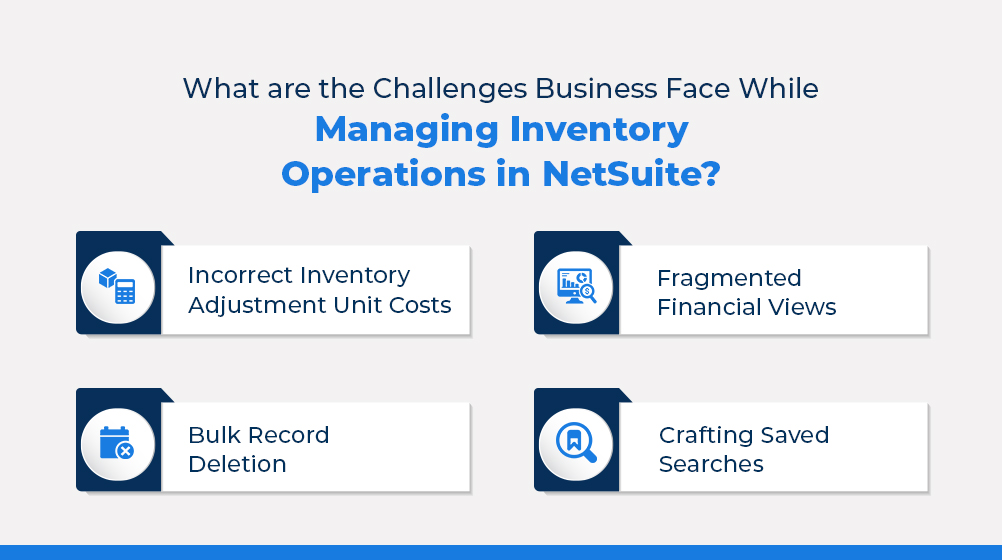
Managing inventory operations within NetSuite can present numerous challenges, often leading to inefficiencies and operational errors. These complexities can negatively impact decision-making and overall business performance. Here are some key challenges businesses face:
- Incorrect Inventory Adjustment Unit Costs: Errors in setting unit costs can result in financial discrepancies, making it difficult to maintain accurate financial records and impacting profitability.
- Bulk Record Deletion: Managing large volumes of data can lead to accidental deletions, fragmenting data and complicating inventory management further.
- Fragmented Financial Views : Without a unified view of financial metrics across sales orders, businesses may struggle to track inventory costs and revenue accurately, leading to inefficiencies.
- Crafting Saved Searches : Creating precise saved searches requires significant expertise. When done improperly, it can clutter data, reduce system performance, and complicate real-time decision-making.
These challenges emphasize the need for robust tools and strategies to optimize NetSuite’s inventory management.
How Can PowerUtilities Enhance NetSuite Inventory Management?
PowerUtilities is a powerful, all-in-one solution specifically designed to enhance various aspects of NetSuite operations, including inventory management. By offering several innovative tools, PowerUtilities helps businesses streamline processes, improve data accuracy, and maintain control over inventory costs.
Here’s how PowerUtilities can significantly improve NetSuite inventory management:
User-Defined Inventory Adjustment Unit Cost Criteria
PowerUtilities provides an intuitive interface that allows users to define inventory adjustment unit cost criteria based on their specific business needs. This feature enables more precise cost management, helping businesses maintain accurate financial records and avoid costly inventory errors.
Seamless Bulk Record Deletion
With PowerUtilities, businesses can easily delete large volumes of outdated or irrelevant records in one go, improving the cleanliness and organization of inventory data. This helps ensure that the inventory records remain up-to-date and accurate, contributing to better decision-making and data management.
Unified Financial Views on Sales Orders
PowerUtilities offers consolidated financial views on sales orders, aligning inventory data with financial metrics in a unified dashboard. This integration enhances transparency and control over inventory costs and sales revenue, streamlining financial reporting for better inventory management.
Enhanced System Performance and Data Integrity
By optimizing system performance and ensuring data integrity, PowerUtilities helps businesses manage large volumes of inventory data without slowing down operations. This ensures that inventory information is reliable and accurate, reducing the risk of errors and improving overall operational efficiency.
To Conclude
Mastering inventory adjustments in NetSuite is essential for maintaining accurate inventory records and avoiding costly mistakes. By addressing these critical areas, companies can avoid costly errors and drive long-term success.
PowerUtilities offers a comprehensive set of tools designed to simplify NetSuite operations. With features like bulk record deletion, industry-standard saved searches, and user-defined inventory adjustment criteria, it helps streamline data management and improve efficiency.
Additionally, PowerUtilities enhances system performance and financial reporting, making it a valuable asset for businesses looking to optimize their NetSuite functionality.