Oracle Integration Cloud : Your NetSuite Strategy
· Uncategorized
Many mid-market CFOs and IT Directors still grapple with a common misconception: that sophisticated integration platforms are strictly the domain of Fortune 500 companies. They think their NetSuite environment, while capable, can’t realistically tap into something as powerful as Oracle Integration Cloud Release 3 without blowing the budget or adding mind-bending complexity. That’s backwards. Honestly, this belief is one of the most budget-busting blunders we see businesses make when planning their NetSuite integration strategy (we’ve seen this firsthand).
This mindset leads to a patchwork mess, endless manual data transfers, and a constant lack of real-time visibility. We’ve worked with companies that thought they were saving money by sticking to point-to-point connections, only to find their teams buried in reconciliation tasks.
A $75M manufacturing client, for instance, used to spend upwards of 20 hours a week manually syncing orders from their B2B portal to NetSuite. That broke everything.
Myth #1: Oracle Integration Cloud is only for enterprise giants.
People often hear “Oracle” and immediately picture massive, multi-national corporations. They assume Oracle Integration Cloud (OIC) is overkill, too expensive, or just too much of a headache for a mid-market business running NetSuite. We get it. The branding suggests a certain scale. But the reality of Oracle Integration Cloud Release 3 is quite different.
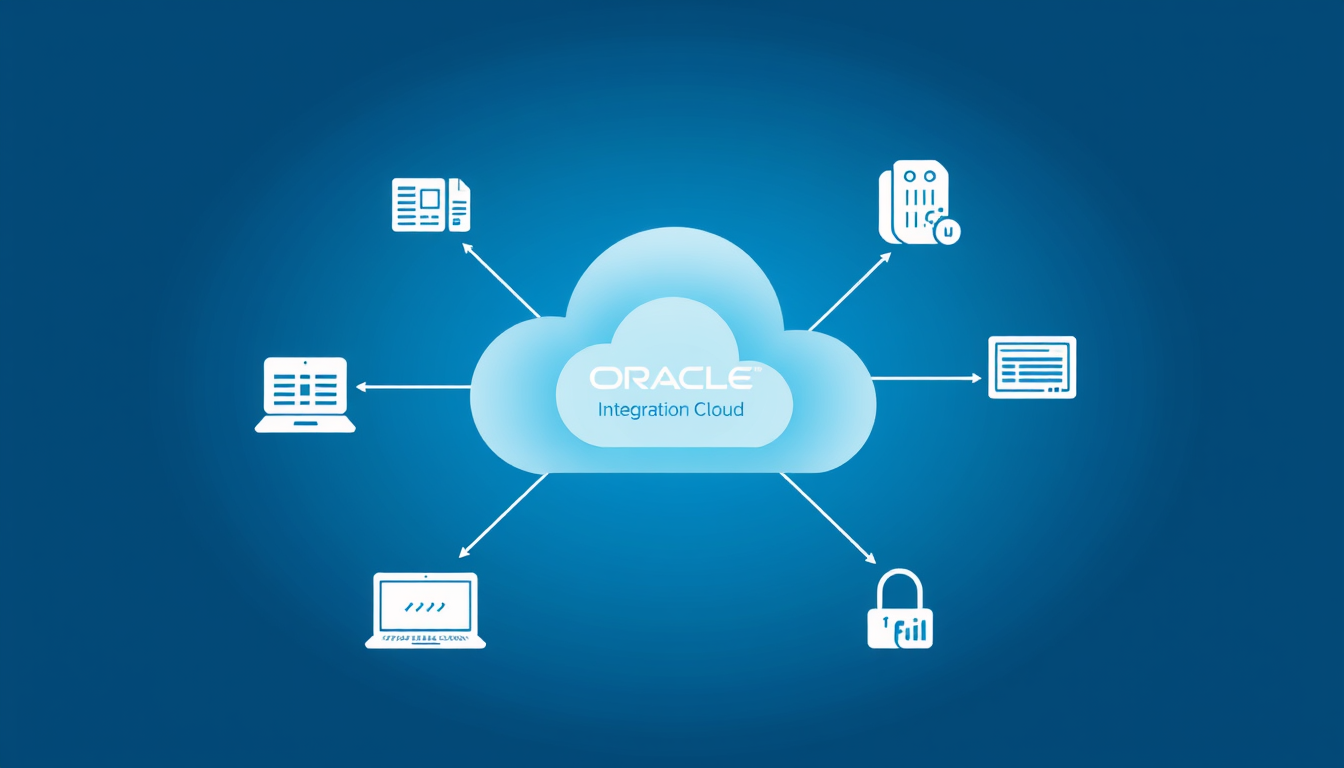
What’s actually true? OIC Release 3 is built for agility and scalability, making it perfectly suited for mid-market companies. It offers a low-code development environment and a vast library of pre-built adapters, including a dedicated NetSuite adapter. This isn’t about replacing NetSuite’s native integration features entirely—it’s about augmenting them. Think about a scenario where you’re connecting NetSuite to Salesforce, an external data warehouse, and a custom logistics portal all at once. OIC provides a single pane of glass for managing these diverse connections, offering bulletproof error handling and monitoring that can be a nightmare to cobble together with native tools alone (no joke—it happens weekly).
So, what should you do instead? Evaluate OIC for its ability to centralize and orchestrate complex data flows. We helped a client in the retail distribution space, processing about 10,000 orders a month, move from a spaghetti code nightmare of custom scripts to an OIC-driven integration hub. Their previous setup involved a mix of CSV imports and individual RESTlets. It was brittle. Now, with this latest integration cloud release, OIC Release 3, their order-to-cash process, spanning their Magento e-commerce site, NetSuite, and a third-party payment gateway, is fully automated and monitored. The IT Director told us the clarity in their integration health dashboard was a “night and day” difference.
Myth #2: NetSuite’s native tools cover all integration needs.
NetSuite offers some seriously strong native integration options. We’re talking SuiteTalk (SOAP web services) for robust, bulk data transfers, and RESTlets for lighter, real-time interactions. For many direct, point-to-point connections, especially within the NetSuite ecosystem or simple integrations with well-behaved APIs, these tools are excellent. Most teams (sounds dramatic, but it’s true) get this right when they’re simply pushing a few customer records or inventory updates.
Where does this belief fall short? While NetSuite’s native tools are strong, they’re typically best for direct NetSuite-to-external-system connections. When you need to orchestrate complex business processes across three, four, or even five different applications—some cloud, some on-premise, some with data transformations that’ll make your head spin—that’s where OIC really struts its stuff. Imagine you need to take an order from your CRM, enrich it with inventory data from NetSuite, validate customer credit via a third-party service, and then send it to a fulfillment partner’s legacy system that requires a very specific XML format. Doing all that with just SuiteTalk and RESTlets means writing a lot of custom code, managing multiple endpoints, and building your own error handling from the ground up. That’s a lot of custom development and ongoing maintenance. Not even close to easy.
Here’s the fix: Understand the strengths of each. We generally advise clients to use SuiteTalk when they need to push or pull large volumes of data reliably, like migrating historical records or batch updates. RESTlets are fantastic for real-time, transactional calls where low latency is key, such as updating a single customer record from a custom portal. But for anything that requires complex data mapping, multi-step orchestration, or connecting to systems with less-than-friendly APIs, the pre-built adapters and visual designer in this integration cloud release, Oracle Integration Cloud, become a total lifesaver. We’ve used OIC to connect NetSuite’s Financial Management module to a bank’s SFTP server for automated daily payment processing—a task that would’ve been a total headache to build and maintain using only SuiteScript.
Myth #3: An integration cloud release is a “set it and forget it” project.
It’s tempting to think that once your integrations are live, your work is done. Cloud solutions, by their nature, promise fewer server migraines, and that can lead to a dangerous illusion about ongoing management. We’ve seen teams assume that because the initial setup of an integration cloud release was smooth, it will just run forever without intervention. That’s a dangerous assumption.
What’s the real story? Integrations are living things. Business processes change. Third-party APIs get updated. NetSuite itself has upgrades. Any of these can break an integration if it’s not properly monitored and managed. For example, a minor change in an external system’s API endpoint, or an unexpected data format from a new vendor, can grind your business to a screeching halt. Without proper monitoring, you mightn’t even know there’s an issue until someone complains about missing data or delayed orders. We once had a client who discovered, weeks later, that their CRM-to-NetSuite integration had silently failed due to a sudden API rate limit change on the CRM side. Sales orders weren’t making it to NetSuite, causing massive order backlogs.
So what happens next? Plan for ongoing governance from day one. This includes bulletproof error handling, automated alerts, and a clear process for resolving issues. OIC offers excellent monitoring dashboards and logging features that allow you to track the health of your integrations in real-time. We also recommend using NetSuite’s SuiteBundler for packaging and deploying any NetSuite-side customizations related to integrations across your sandbox and production environments. In practice, consistency and makes updates a breeze. A well-managed integration strategy, especially with an advanced platform like Oracle Integration Cloud Release 3, means proactive identification and resolution of issues—not reactive firefighting.
Look, the notion that mid-market companies can’t or shouldn’t invest in sophisticated integration platforms like Oracle Integration Cloud Release 3 is outdated. When you shed these misconceptions, you gain crystal-clear insights into your data flows, confidence in your automated processes, and ultimately, peace of mind that your critical business systems are talking to each other reliably.
We’ve spent over a decade helping businesses like yours cut through this integration jungle, and we know exactly how to tailor an integration strategy that makes sense for your NetSuite environment. Our team understands the nuances of both NetSuite’s native tools and external platforms, ensuring you get the right solution for the right problem.
Ready to bring clarity, confidence, and peace of mind to your business operations? Contact Power Cloud ERP for a free NetSuite consultation.